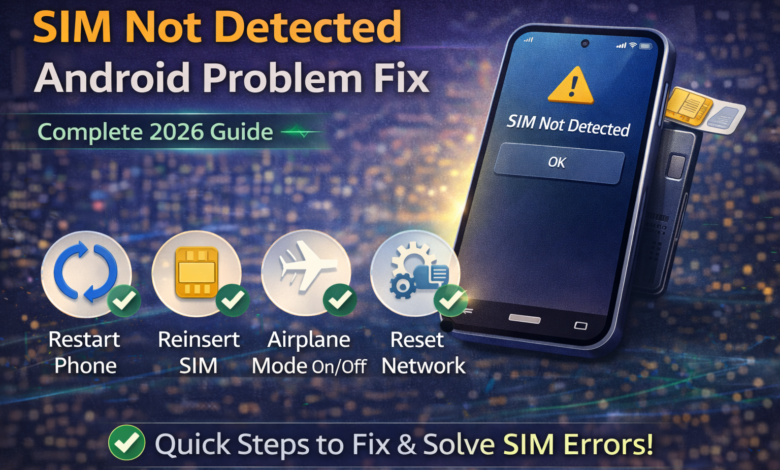
Android phone mein “SIM Not Detected” ya “No SIM Card” error aana bohat frustrating hota hai. Achanak network chala jata hai, calls aur mobile data band ho jate hain, aur screen par error show hota hai. Ye problem kabhi software issue ki wajah se hoti hai aur kabhi hardware fault ki wajah se.
Is detailed guide mein hum step-by-step samjhayenge ke SIM not detected Android problem ko kaise fix karein, kaun si cheezein check karni chahiyein, aur kab service center jana zaroori hota hai.
SIM Not Detected Error Kyun Aata Hai?
Is problem ke common reasons yeh ho sakte hain:
- SIM card properly insert na hona
- SIM card damage ho jana
- SIM slot dust ya loose hona
- Software glitch
- Network settings issue
- Phone update bug
- Hardware problem (rare cases)
Achhi baat yeh hai ke zyada tar cases mein issue simple hota hai aur ghar par hi solve ho jata hai.
Step-by-Step SIM Not Detected Fix Guide
1️⃣ Phone Restart Karein
Sab se pehle simple restart karein.
Kabhi kabhi temporary network glitch hota hai jo restart se fix ho jata hai.
- Power button hold karein
- Restart select karein
- Phone on hone ke baad check karein
Aksar 20–30% cases mein yeh simple step problem solve kar deta hai.
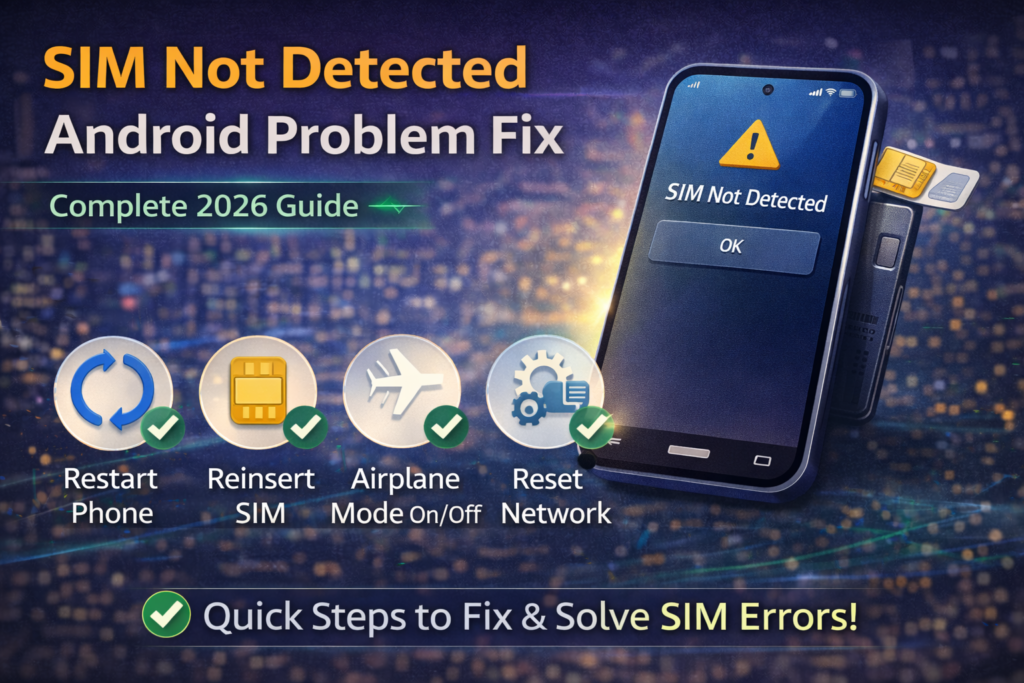
2️⃣ SIM Card Properly Reinsert Karein
Agar restart se masla solve na ho:
- Phone band karein
- SIM tray nikaalein
- SIM card remove karein
- SIM ko softly clean karein (dry cloth se)
- Dobara properly insert karein
Ensure karein ke SIM sahi direction mein ho.
3️⃣ SIM Card Dusre Phone Mein Check Karein
Agar doubt ho ke SIM kharab hai:
- SIM ko kisi dusre phone mein laga kar test karein
Agar dusre phone mein bhi signal na aaye to SIM issue ho sakta hai. Is case mein network franchise se replacement lein.
4️⃣ Airplane Mode Toggle Karein
Kabhi kabhi network stuck ho jata hai.
- Airplane mode ON karein
- 30 seconds wait karein
- Phir OFF karein
Is se network refresh hota hai.
5️⃣ Network Settings Reset Karein
Agar problem software related ho to network reset helpful hota hai.
Steps:
- Settings open karein
- System / General Management
- Reset
- Reset Network Settings
Note: Is se WiFi passwords delete ho sakte hain.
6️⃣ Software Update Check Karein
Kabhi kabhi system bug ki wajah se SIM detect nahi hoti.
- Settings > Software Update
- Latest version install karein
Updates mein network stability fixes hoti hain.
7️⃣ SIM Slot Clean Karein
Dust ya moisture SIM slot mein jam sakti hai.
- Soft brush ya compressed air se gently clean karein
- Metal pin use na karein
Agar slot loose ho to hardware issue ho sakta hai.
8️⃣ Check IMEI Number
Dial karein: *#06#
Agar IMEI show na ho to serious software ya hardware issue ho sakta hai.
Is case mein professional technician ki zaroorat hoti hai.
9️⃣ Safe Mode Try Karein
Kabhi third-party app network ko affect karti hai.
Safe mode mein boot karein:
- Power button hold karein
- “Power Off” par long press karein
- Safe Mode select karein
Agar Safe Mode mein SIM detect ho jaye to recently installed app remove karein.
🔟 Factory Reset (Last Option)
Agar sab try karne ke baad bhi issue solve na ho to factory reset last option ho sakta hai.
⚠ Reset se pehle backup zaroor lein.
- Settings > Reset > Factory Data Reset
Is se software related issue fix ho sakta hai.
Kab Service Center Jana Zaroori Hai?
Agar:
- SIM dusre phone mein work kar rahi ho
- Phone mein koi physical damage ho
- IMEI missing ho
- SIM slot damage ho
To authorized service center visit karein.
SIM Not Detected Problem Se Bachne Ke Tips
✔ SIM tray carefully use karein
✔ Phone ko pani se bachayein
✔ Regular software update rakhein
✔ Local unlocked phone use karein
✔ SIM cut karne ke bajaye original nano SIM lein
Frequently Asked Questions
Q1: SIM card suddenly detect hona band kyun hoti hai?
Temporary software glitch, SIM damage, ya network issue ki wajah se.
Q2: Kya software update se SIM problem solve ho sakti hai?
Haan, agar bug ki wajah se issue ho to update helpful hota hai.
Q3: Kya factory reset zaroori hota hai?
Sirf tab jab baaki solutions kaam na karein.
Q4: Kya dual SIM phones mein yeh problem zyada hoti hai?
Kabhi kabhi ek slot loose hone ki wajah se issue aa sakta hai.
Final Thoughts
SIM Not Detected Android problem zyada tar cases mein simple fix se solve ho jati hai. Restart, SIM reinsert aur network reset sab se effective steps hain. Agar issue hardware related ho to service center hi best solution hai.
Sab se important baat yeh hai ke panic na karein — systematically har step try karein. 90% cases mein problem ghar par hi solve ho jati hai.